

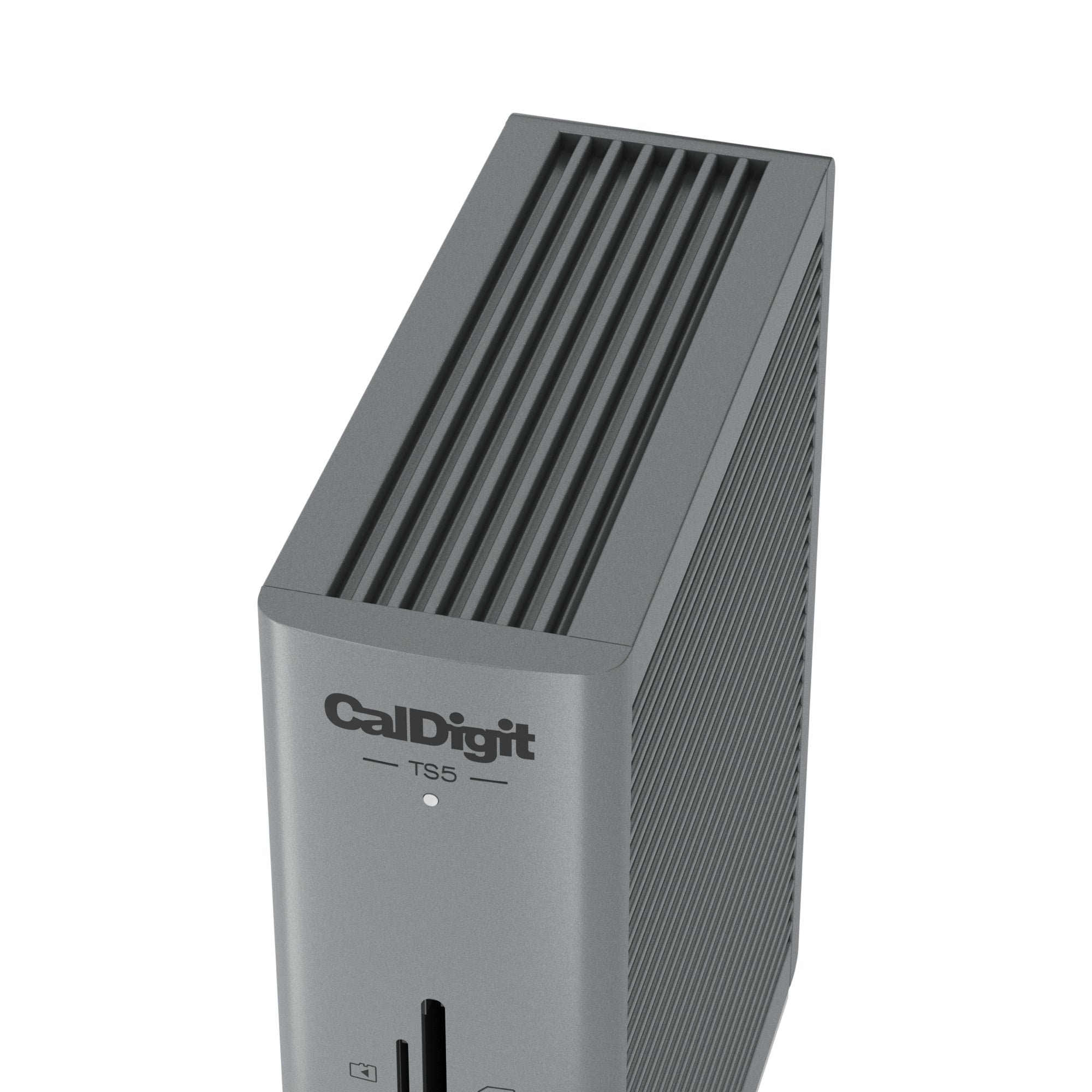
TS5 Thunderbolt 5 Dock
Returns Policy
Delivery or error by Try & Byte: If you receive an incorrect product it may be returned within 5 days in its original, unopened packaging. We will re-imburse you for return shipping (shipping method subject to approval by us) and provide an exchange or offer a refund after the product has been returned to us.
Faulty or Dead on Arrival Products: We will replace a product if it is found to be either damaged or not working correctly when it is received ("dead on arrival"). The product must be returned within 7 days of purchase and must be packed in the original, unmarked packaging including any accessories, manuals, documentation and registration that shipped with the product. We will re-imburse you for return shipping (shipping method subject to approval by us). If we no longer have any more of the product in stock then a full refund will be provided.
If a product becomes faulty under normal use at some time after it is received then the product warranty applies (refer below).
Change of Mind: We accept returns for change of mind purchases only in the following circumstances:
- Products are not a clearance or sale item;
- Products are returned to us within 10 days of purchase;
- The product is in its unused, original and unopened packaging. Please ensure the item is securely protected and wrapped when returned to us;
- Note: do not affix anything to the product packaging. Doing so will reduce the refund amount.
- Note: accessories that came with the product must be returned as well. Missing items will result in a reduced refund amount.
- You will be responsible for all shipping costs in returning the product to us;
- We accept no responsibility for any products lost in transit whilst being returned. We suggest you return the product using Australia Post with tracking or a trackable courier service;
Please note that we do not permit the return of, or offer refunds for the following products:
- Products which have been used, opened or unsellable products;
- Opened software and games;
- Product that is custom configured to your specifications;
- One off customer orders made on a 'no returns' basis.
No product may be returned to us without first contacting us and obtaining an RA (Return Authorisation). If you need to return an item, you can contact us using the contact link on our website.
Refunds
- We will only process refunds upon receipt and inspection of the items sent back to us.
- Accessories that came with the product must be returned unless stated otherwise. Missing accessories may result in a reduction in the refund.
- Postage costs are non-refundable.
Warranty
Our goods come with guarantees that cannot be excluded under the Australian Consumer Law. You are entitled to a replacement or refund for a major failure and for compensation for any other reasonably foreseeable loss or damage. You are also entitled to have the goods repaired or replaced if the goods fail to be of acceptable quality and the failure does not amount to a major failure. In addition to the rights and remedies you may have under the Australian Consumer Law you may also be entitled to benefits under the terms of any additional manufacturer's warranty. The manufacturer's warranty (if it applies to your product) does not in any way affect your rights under the Australian Consumer Law.
If a product comes with manufacturer warranty the warranty commences from the date the product was invoiced. You must retain the purchase invoice for potential future warranty claims. Try & Byte acts as an agent in the warranty process. Products excluded from warranty are software, games and consumables.
As warranty procedures vary from manufacturer to manufacturer you should seek technical support from the manufacturer first. If the manufacturer directs you to return the product back to us then you should contact us at support@tryandbyte.com.au.
Need help? Contact us
15 Ports of Pure Connectivity
Description
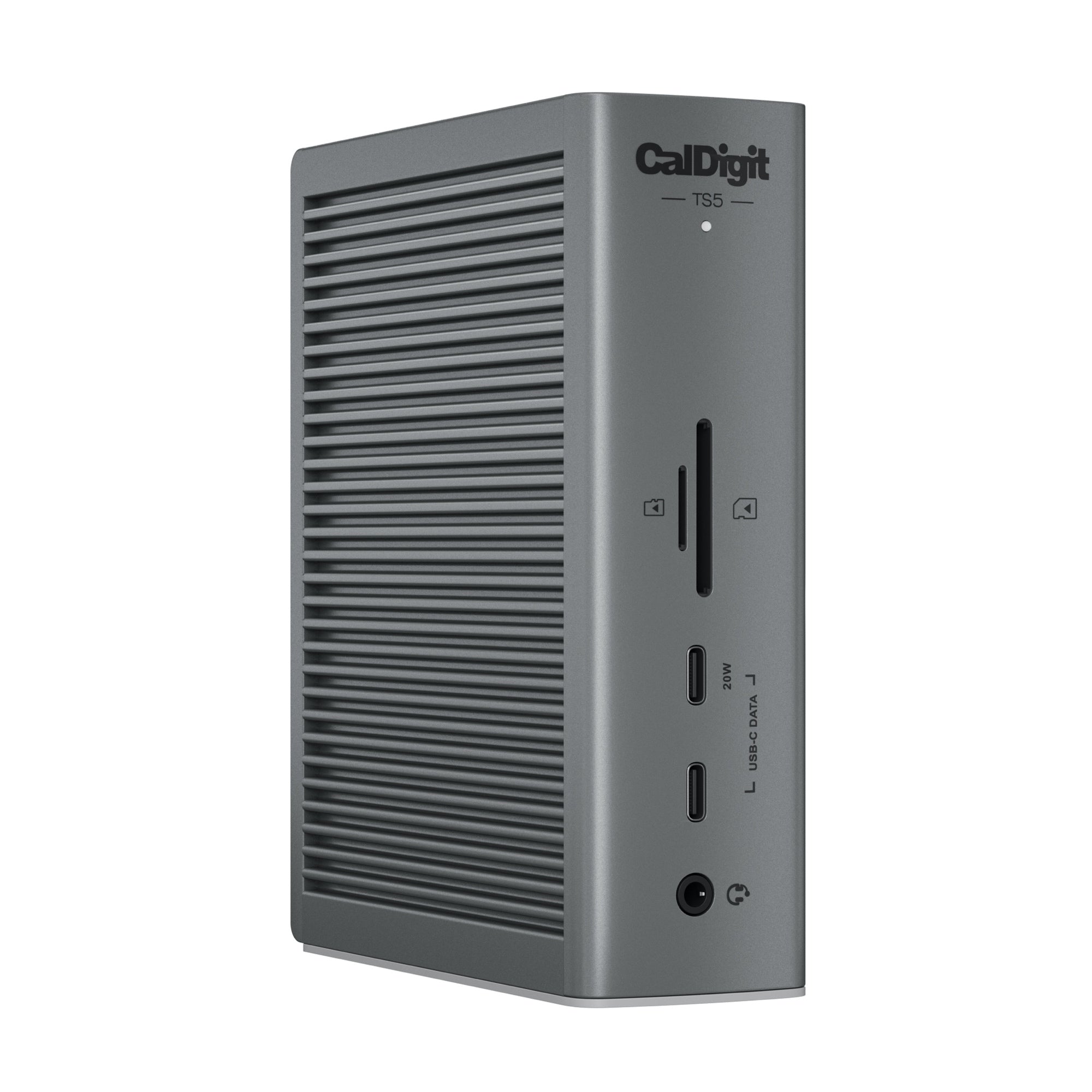
The TS5 is built from the ground up with connectivity in mind. It is packed full of essential ports ready to take your workflow to the next level.
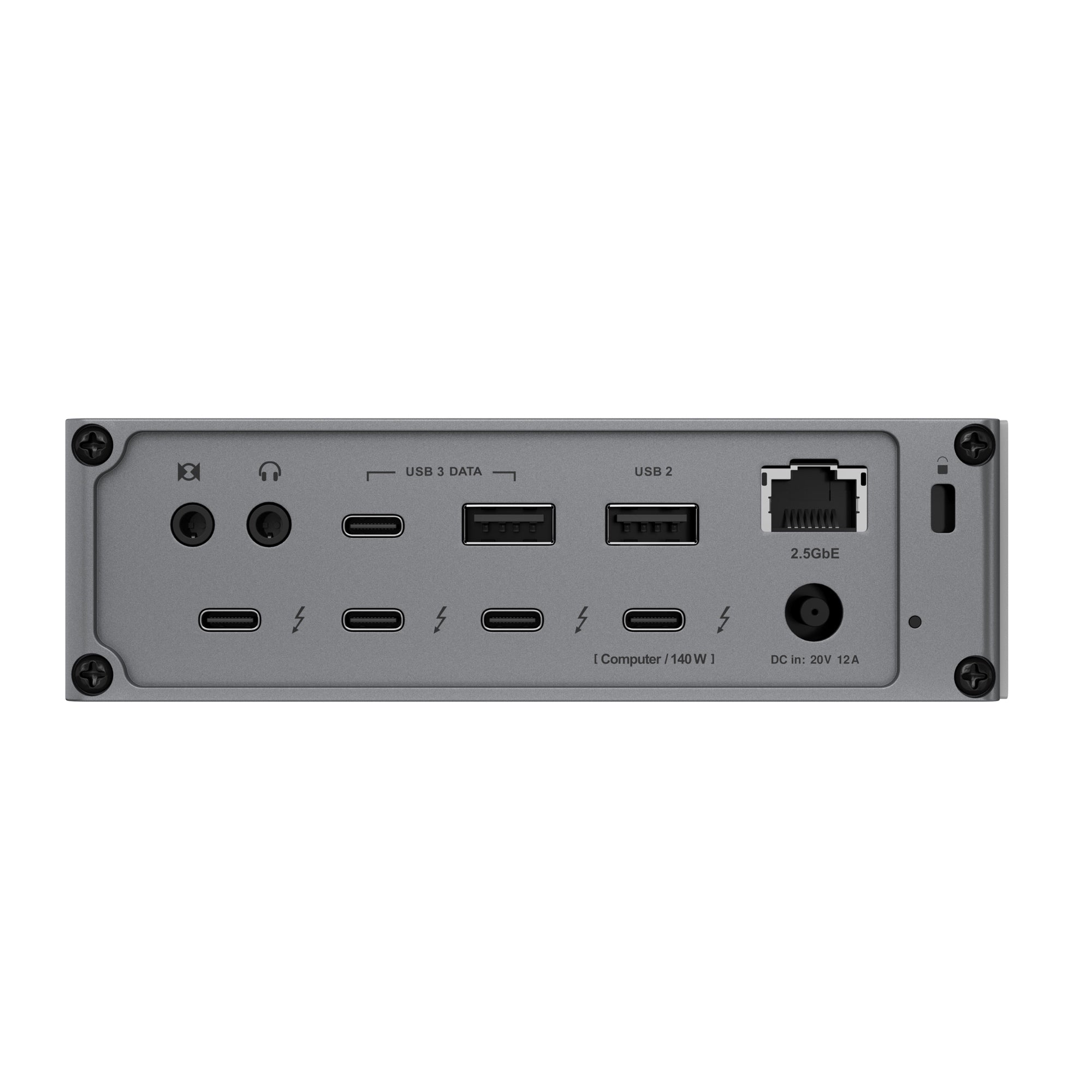
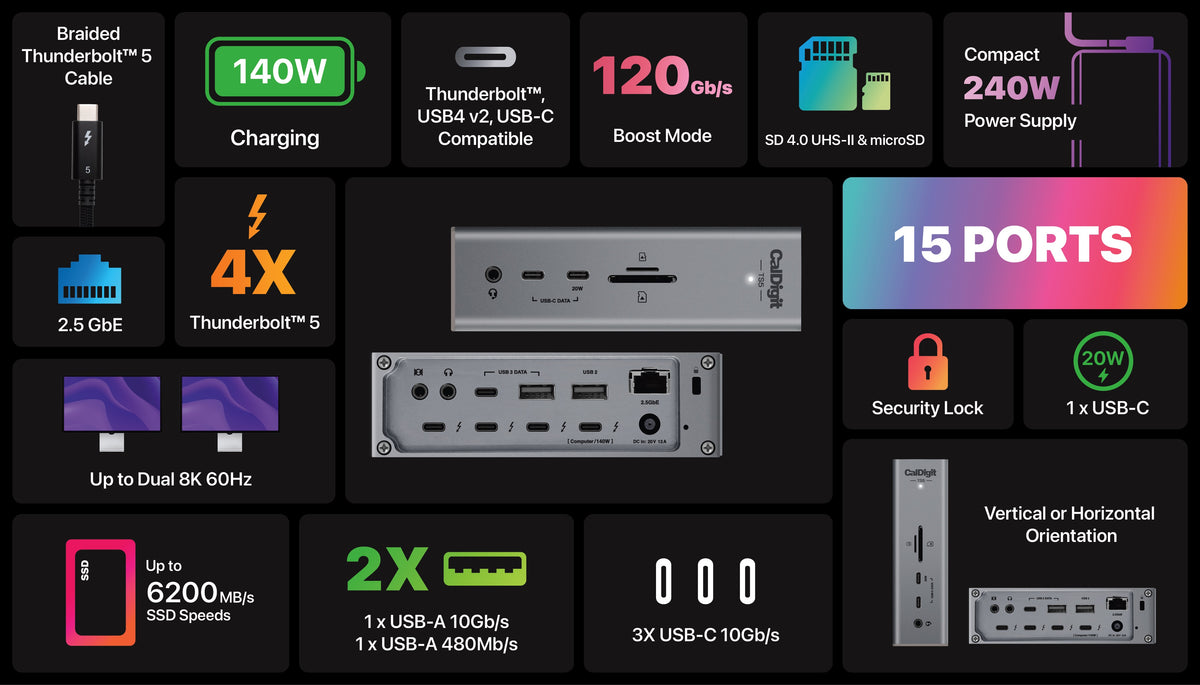
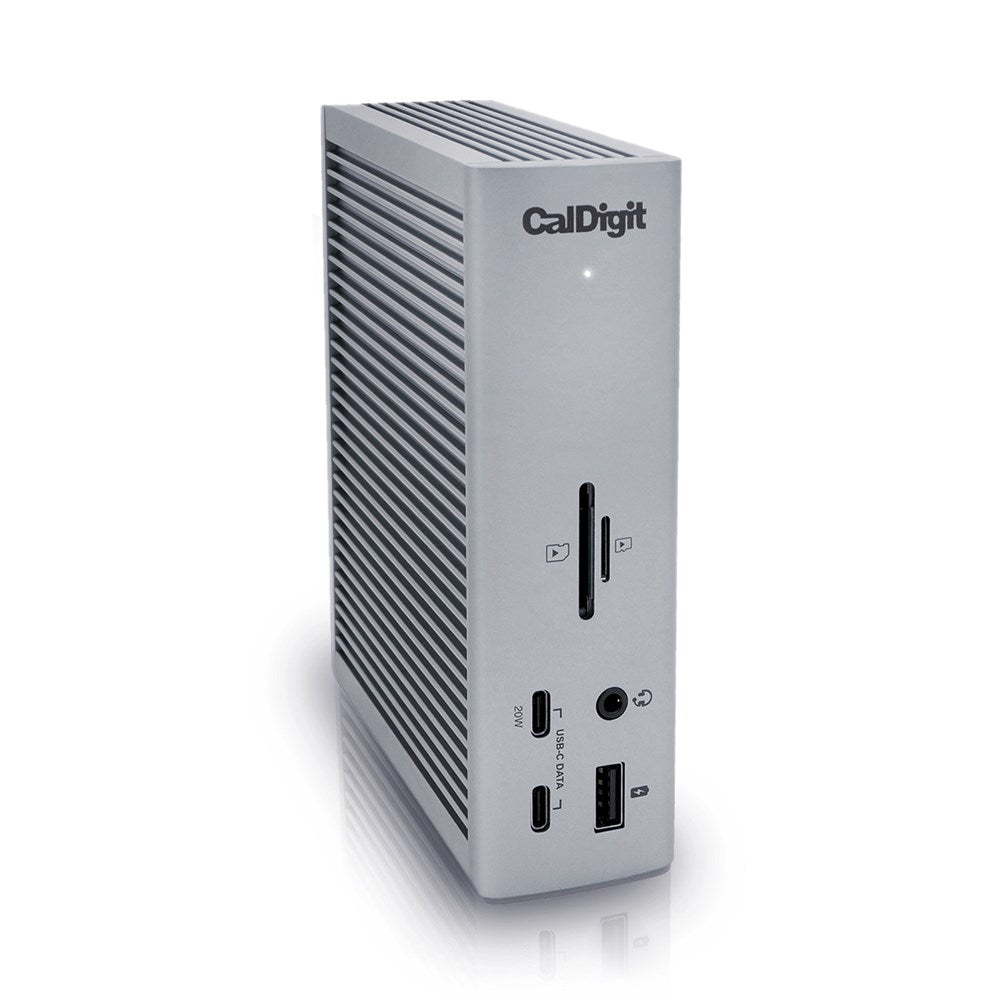
This dock features a combined total of 15 ports, including 4x Thunderbolt 5 80Gb/s ports. Having four Thunderbolt 5 ports is ideal for users that want the flexibility to connect the exact devices they want to the TS5.
Compare models.
Features & Compatibility
- Next generation dock with Thunderbolt 5 connectivity
- Thunderbolt 5 ports deliver greater performance (up to 120Gb/s)
- Up to 140W charging for the most demanding modern laptops
- Support for up to 3x 4K displays*
- Extensive connectivity options with 15 ports (3x USB-A and 3x USB-C)
- Offline charging keeps USB devices powered without a host device
- 2.5 Gigabit Ethernet support for high speed networking support
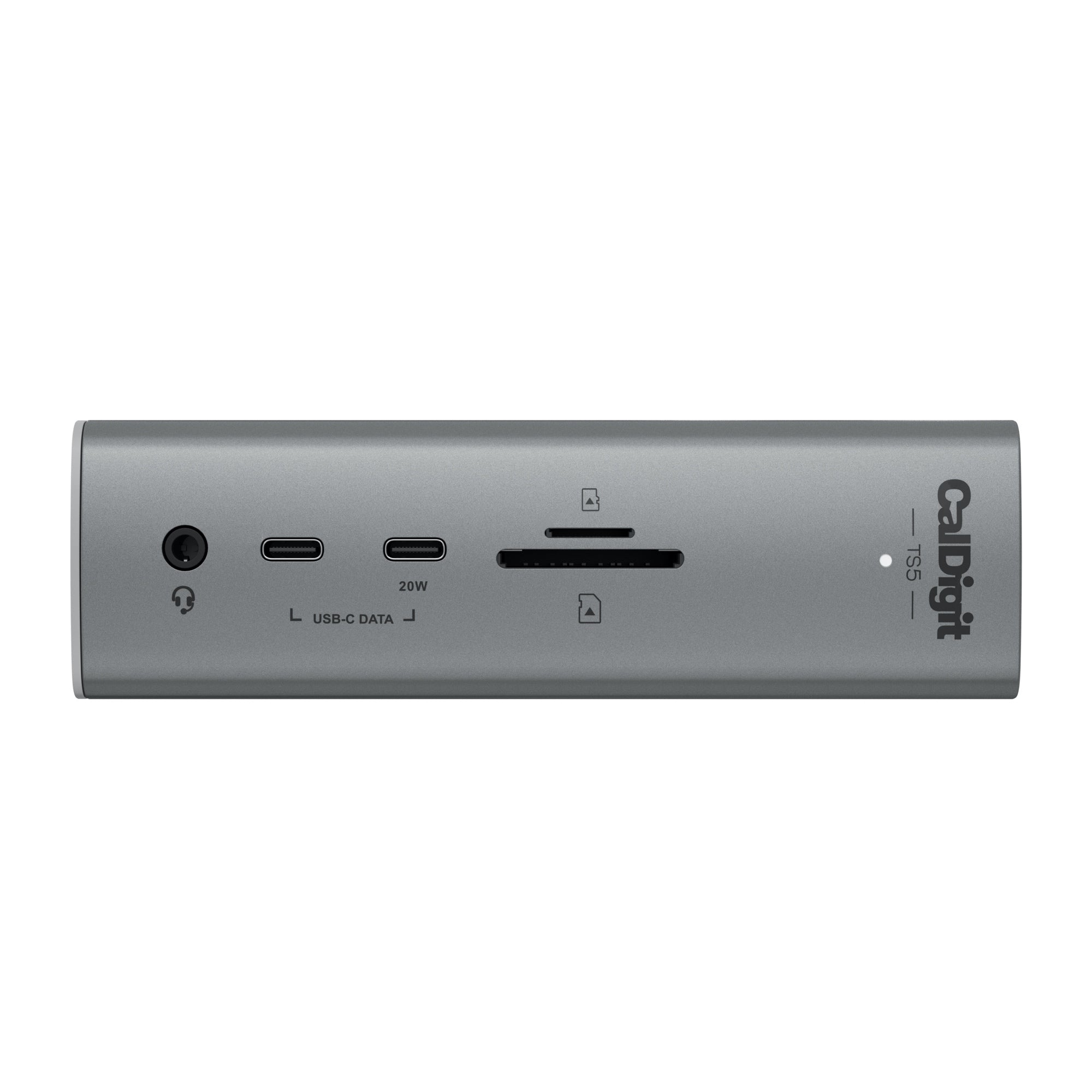
- UHS-II SD and microSD card slots
- 20W USB-C charging port
*On supported Thunderbolt 5 Windows PCs
Minimum System Requirements- macOS 15 or above
- Windows 11 or above
- Windows Intel 12th Gen Processor or newer
- Thunderbolt NVM Firmware 43.3 or newer
- Thunderbolt 4 or 5 Computers
- Thunderbolt 3 Macs (NOTE: Not compatible with Thunderbolt 3 Windows PC)
- USB4 or USB4 v2 Computer (PCIe Tunneling support required for onboard Ethernet)
- Thunderbolt/USB4 iPad
- USB-C Computer/Tablet/Phone
- Thunderbolt ChromeBook
Specifications
Thunderbolt & USB | |
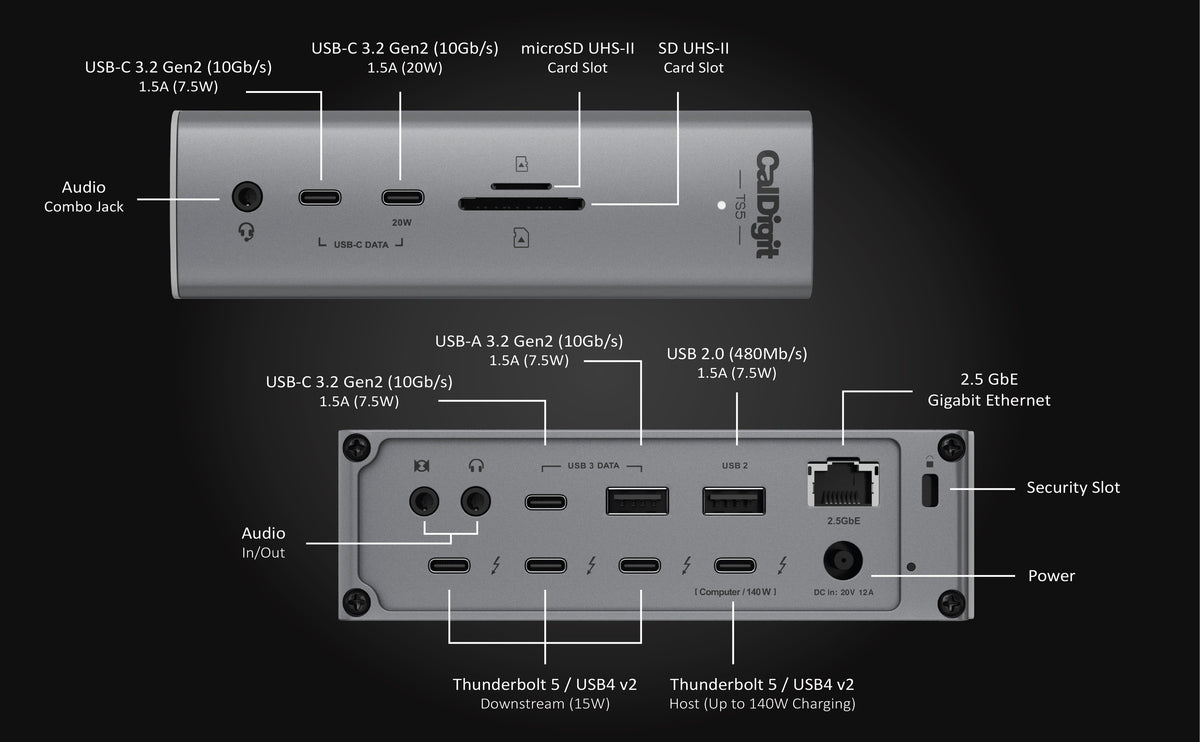
| Host Port | 1 x Thunderbolt 5 Host Port (Up to 120Gb/s) |
| Downstream Thunderbolt Ports | 3 x Thunderbolt 5 Downstream Ports (80Gb/s) |
| USB-C Ports | 3 x USB-C (10Gb/s) |
| USB-A Ports | 3 x USB-A (10Gb/s) |
| As the TS5 features powerful performance levels, USB-C (5Gb/s & 10Gb/s) host devices are not compatible. To get the maximum performance & features from the TS5 Plus an 80Gb/s Thunderbolt 5 or USB4 v2 host connection is required. | |
| Storage & Networking | |
| SD Card Reader | 1 x SD 4.0 (UHS-II) |
| microSD Card Reader | 1 x microSD 4.0 (UHS-II) |
| Ethernet | 1 x 2.5 Gigabit Ethernet |
| Display & Audio | |
| Front Audio | 1 x Front Combo Audio In/Out (3.5mm) |
| Rear Audio Out | 1 x Rear Audio Out (3.5mm) |
| Rear Audio In | 1 x Rear Audio In (3.5mm) |
| Power | |
| DC Input | 1 x DC In (20V 12A) |
| Minimum System Requirements | |
| Operating Systems | macOS 15 or above Windows 11 or above iPadOS¹ |
| Computer/Device Compatibility | Thunderbolt 5 Computer Thunderbolt 4 Computer Thunderbolt 3 (Mac only) USB-C (USB4 or USB4 v2) Computer (PCIe Tunneling support required for onboard Ethernet) Thunderbolt/USB4 iPad Intel 12th Gen Processor or newer Thunderbolt NVM Firmware 43.3 or newer USB-C Computer/Tablet/Phone Thunderbolt ChromeBook |
| • Incompatible with Thunderbolt 3 Windows PCs ¹ Functionality is dependent on the host computer or tablet’s capabilities. | |
| Power Delivery | |
| Thunderbolt 5/USB4 Host Port | Up to 140W |
| Each Downstream Thunderbolt 4/USB4 Port | 15W |
| Front 20W USB-C Port | 20W |
| Remaining USB-C Ports | 7.5W |
| USB-A Ports | 7.5W |
| Size & Weight | |
| Height | 141.0mm |
| Width | 42.0mm |
| Length | 113.4mm |
| Weight | 0.64kg |
| In the Box | 1 x CalDigit TS5 1 x Thunderbolt 5 Braided Cable (1.0m) 2 x Rubber Feet Strips 1 x Power Cord 1 x Power Supply (330W) |
| Warranty | 2 Years |
FAQ
What are the differences between the TS5 Plus, TS5 and the TS4?
A comparison table can be found here.
How many displays does it support?
On compatible MacOS computers it can support 2 external displays and up to 3 on Windows machines with Thunderbolt 5.
Does it only work with Thunderbolt 5 computers?
No, the TS5 Plus is backwards compatible with Thunderbolt 4 computers and Thunderbolt 3 Macs.
The TS5 is built from the ground up with connectivity in mind. It is packed full of essential ports ready to take your workflow to the next level.
This dock features a combined total of 15 ports, including 4x Thunderbolt 5 80Gb/s ports. Having four Thunderbolt 5 ports is ideal for users that want the flexibility to connect the exact devices they want to the TS5.
Compare models.
- Next generation dock with Thunderbolt 5 connectivity
- Thunderbolt 5 ports deliver greater performance (up to 120Gb/s)
- Up to 140W charging for the most demanding modern laptops
- Support for up to 3x 4K displays*
- Extensive connectivity options with 15 ports (3x USB-A and 3x USB-C)
- Offline charging keeps USB devices powered without a host device
- 2.5 Gigabit Ethernet support for high speed networking support
- UHS-II SD and microSD card slots
- 20W USB-C charging port
*On supported Thunderbolt 5 Windows PCs
Minimum System Requirements- macOS 15 or above
- Windows 11 or above
- Windows Intel 12th Gen Processor or newer
- Thunderbolt NVM Firmware 43.3 or newer
- Thunderbolt 4 or 5 Computers
- Thunderbolt 3 Macs (NOTE: Not compatible with Thunderbolt 3 Windows PC)
- USB4 or USB4 v2 Computer (PCIe Tunneling support required for onboard Ethernet)
- Thunderbolt/USB4 iPad
- USB-C Computer/Tablet/Phone
- Thunderbolt ChromeBook
Thunderbolt & USB | |
| Host Port | 1 x Thunderbolt 5 Host Port (Up to 120Gb/s) |
| Downstream Thunderbolt Ports | 3 x Thunderbolt 5 Downstream Ports (80Gb/s) |
| USB-C Ports | 3 x USB-C (10Gb/s) |
| USB-A Ports | 3 x USB-A (10Gb/s) |
| As the TS5 features powerful performance levels, USB-C (5Gb/s & 10Gb/s) host devices are not compatible. To get the maximum performance & features from the TS5 Plus an 80Gb/s Thunderbolt 5 or USB4 v2 host connection is required. | |
| Storage & Networking | |
| SD Card Reader | 1 x SD 4.0 (UHS-II) |
| microSD Card Reader | 1 x microSD 4.0 (UHS-II) |
| Ethernet | 1 x 2.5 Gigabit Ethernet |
| Display & Audio | |
| Front Audio | 1 x Front Combo Audio In/Out (3.5mm) |
| Rear Audio Out | 1 x Rear Audio Out (3.5mm) |
| Rear Audio In | 1 x Rear Audio In (3.5mm) |
| Power | |
| DC Input | 1 x DC In (20V 12A) |
| Minimum System Requirements | |
| Operating Systems | macOS 15 or above Windows 11 or above iPadOS¹ |
| Computer/Device Compatibility | Thunderbolt 5 Computer Thunderbolt 4 Computer Thunderbolt 3 (Mac only) USB-C (USB4 or USB4 v2) Computer (PCIe Tunneling support required for onboard Ethernet) Thunderbolt/USB4 iPad Intel 12th Gen Processor or newer Thunderbolt NVM Firmware 43.3 or newer USB-C Computer/Tablet/Phone Thunderbolt ChromeBook |
| • Incompatible with Thunderbolt 3 Windows PCs ¹ Functionality is dependent on the host computer or tablet’s capabilities. | |
| Power Delivery | |
| Thunderbolt 5/USB4 Host Port | Up to 140W |
| Each Downstream Thunderbolt 4/USB4 Port | 15W |
| Front 20W USB-C Port | 20W |
| Remaining USB-C Ports | 7.5W |
| USB-A Ports | 7.5W |
| Size & Weight | |
| Height | 141.0mm |
| Width | 42.0mm |
| Length | 113.4mm |
| Weight | 0.64kg |
| In the Box | 1 x CalDigit TS5 1 x Thunderbolt 5 Braided Cable (1.0m) 2 x Rubber Feet Strips 1 x Power Cord 1 x Power Supply (330W) |
| Warranty | 2 Years |
What are the differences between the TS5 Plus, TS5 and the TS4?
A comparison table can be found here.
How many displays does it support?
On compatible MacOS computers it can support 2 external displays and up to 3 on Windows machines with Thunderbolt 5.
Does it only work with Thunderbolt 5 computers?
No, the TS5 Plus is backwards compatible with Thunderbolt 4 computers and Thunderbolt 3 Macs.
Introducing the TS5 and TS5 Plus

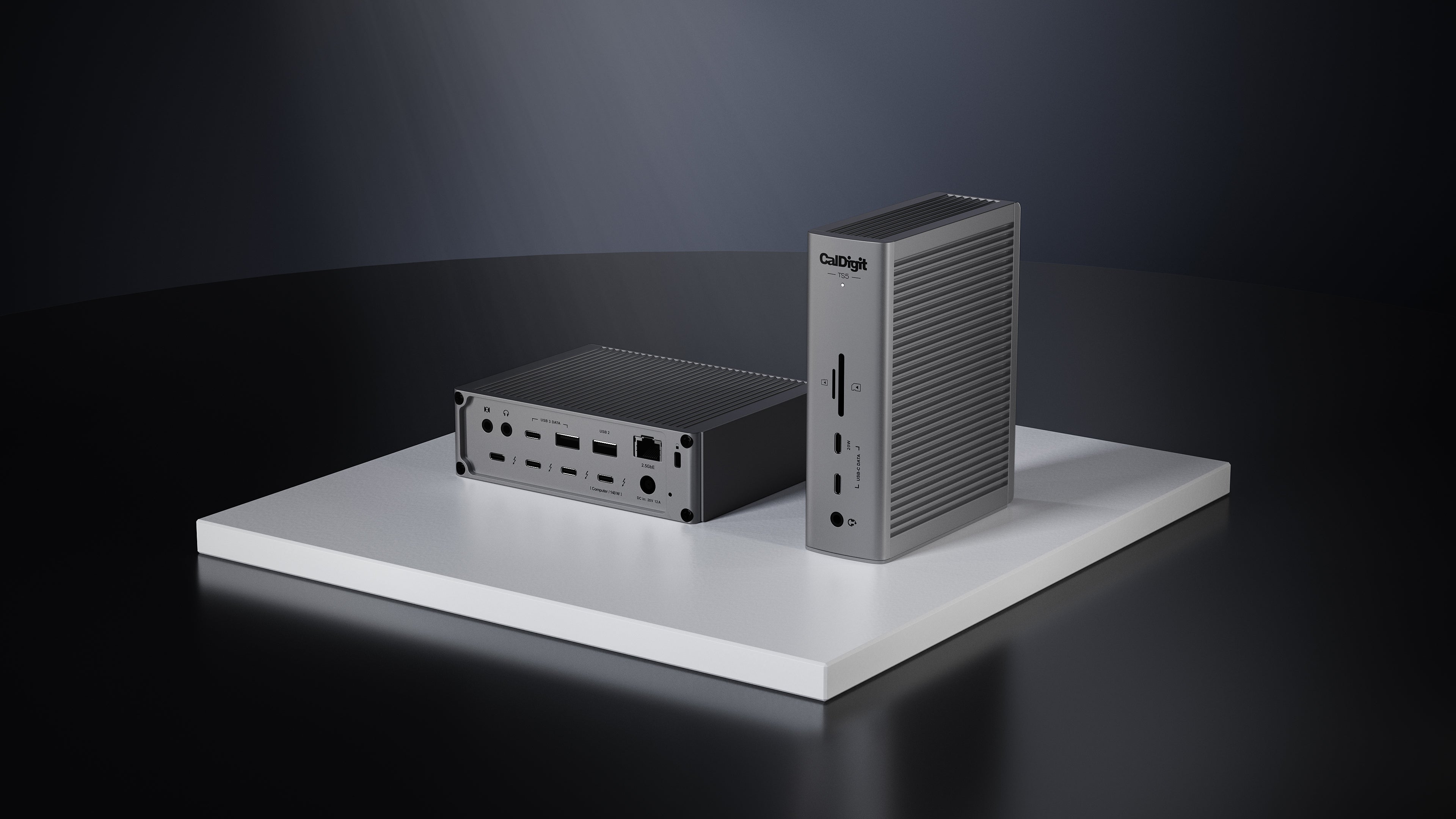
All About The Ports
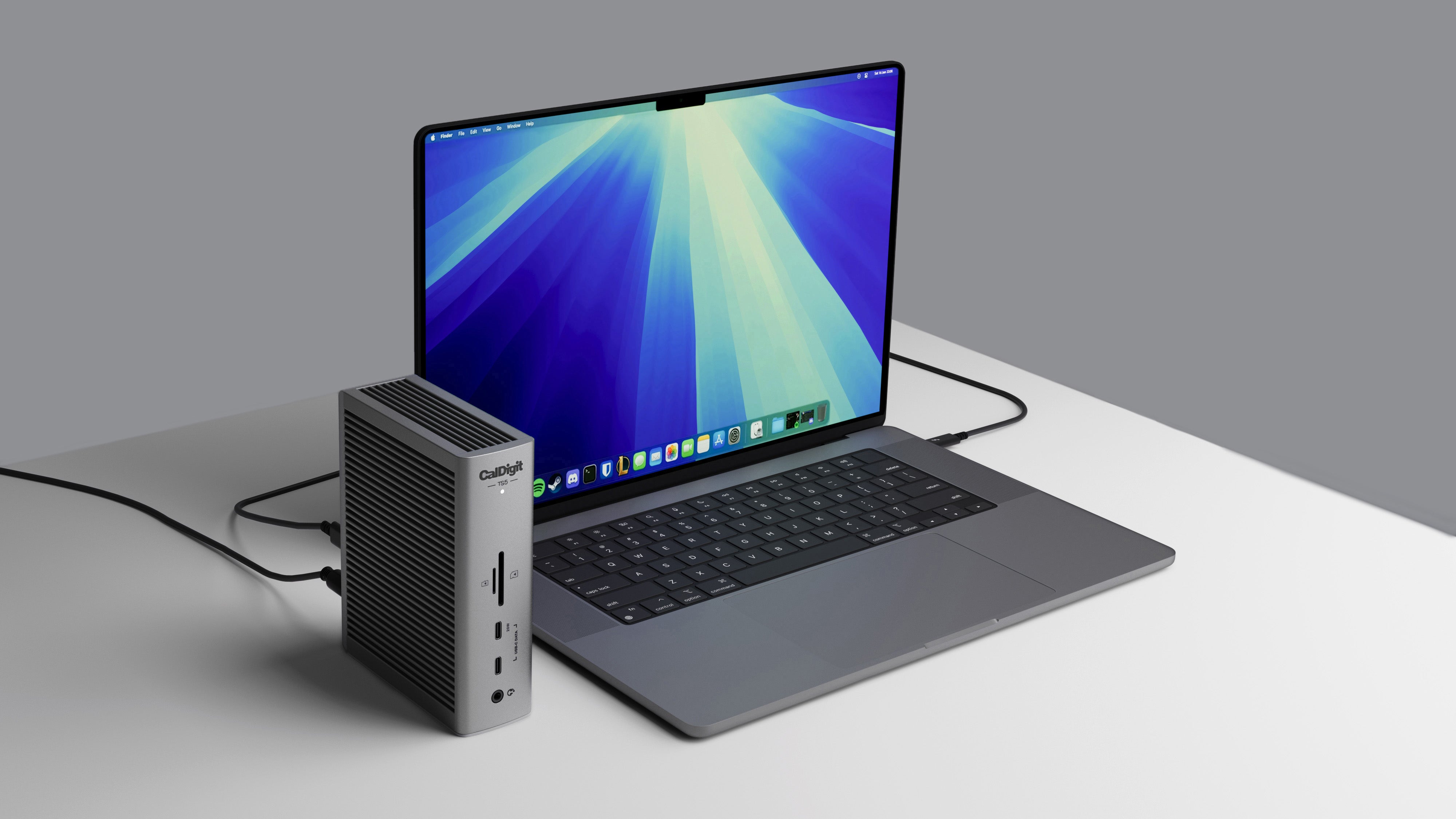
140W Power Delivery

Thunderbolt 5
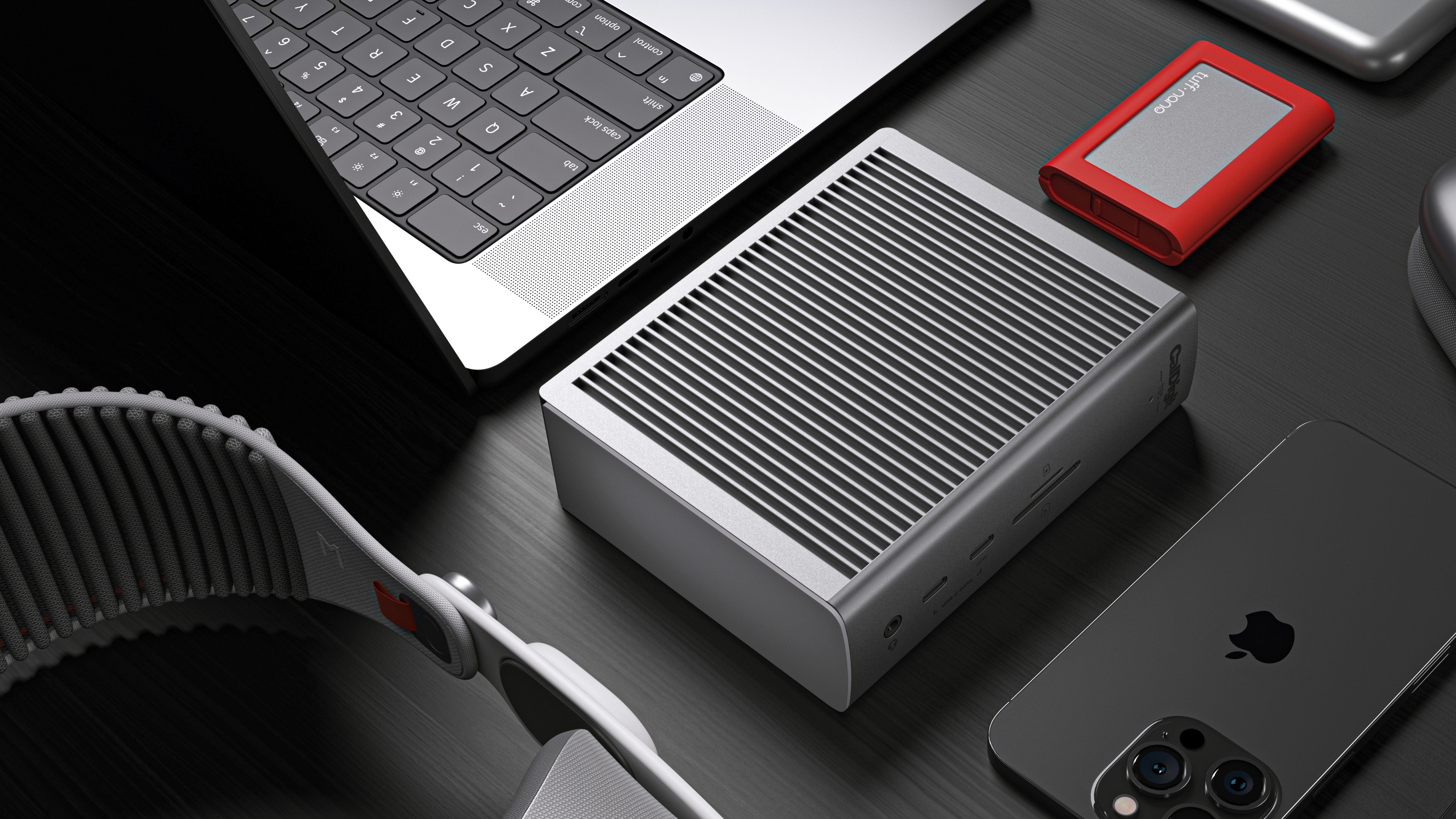
5 Powerful USB Ports
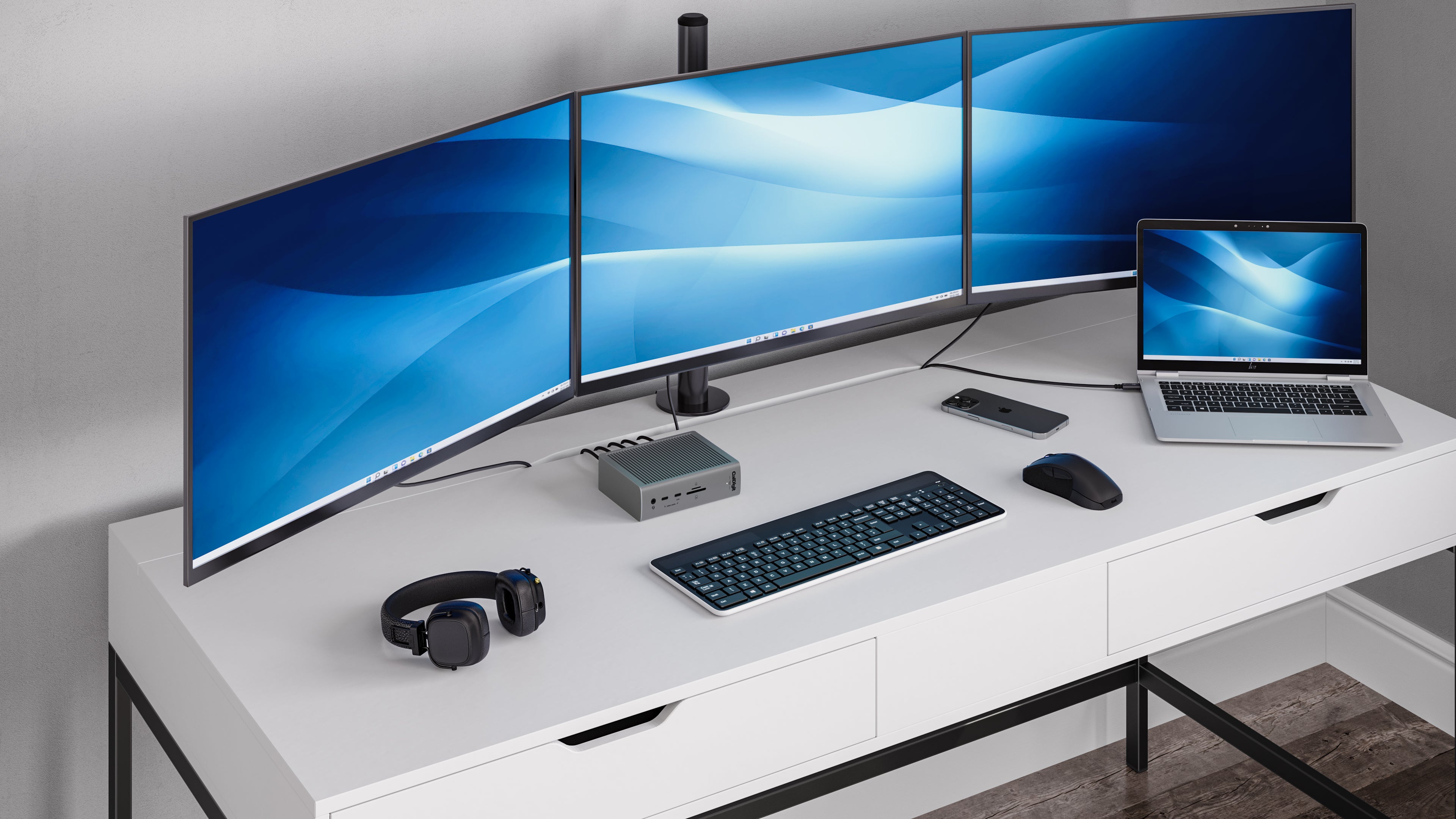
Single, Dual, or Triple Displays
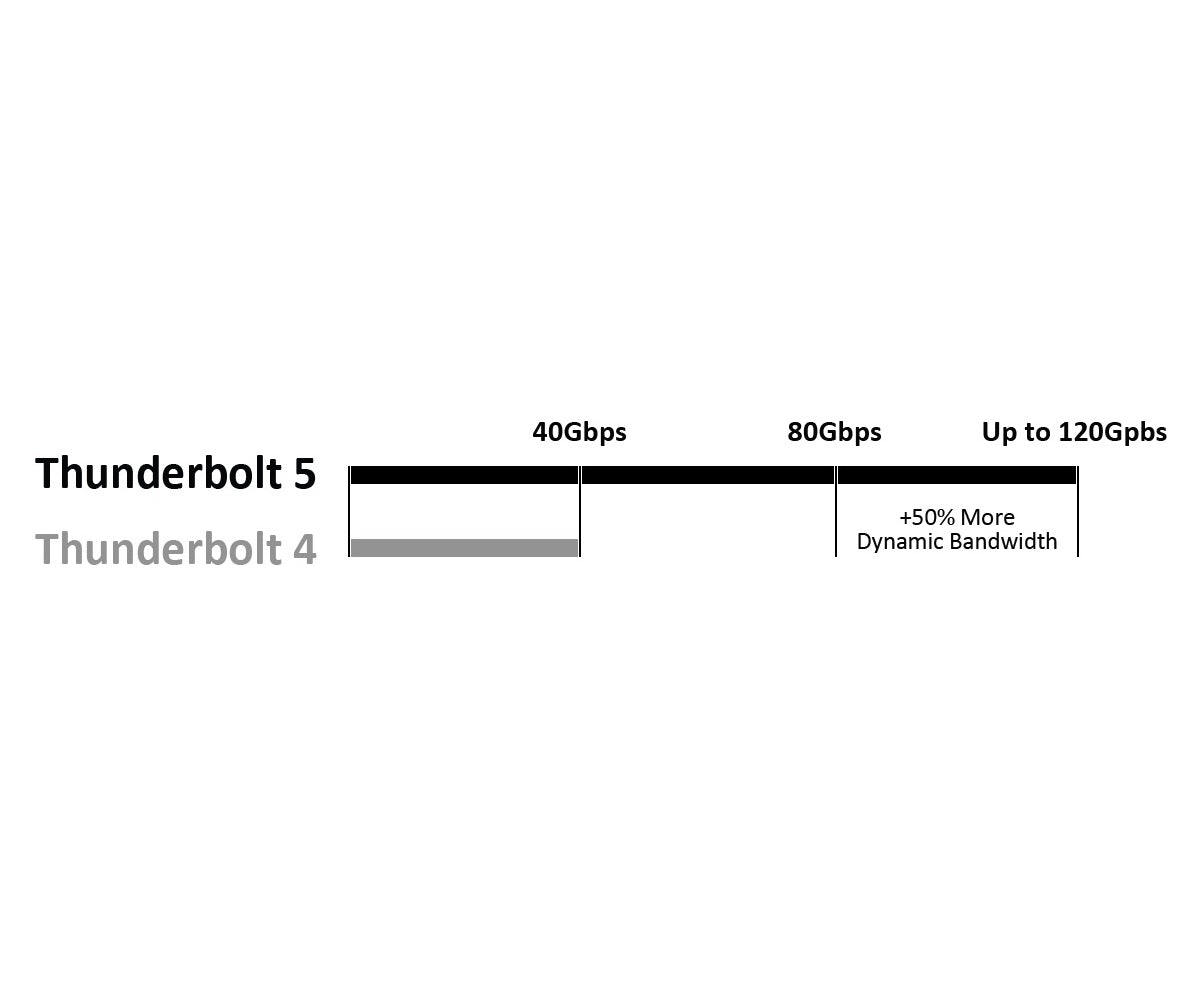
Bandwidth Boost
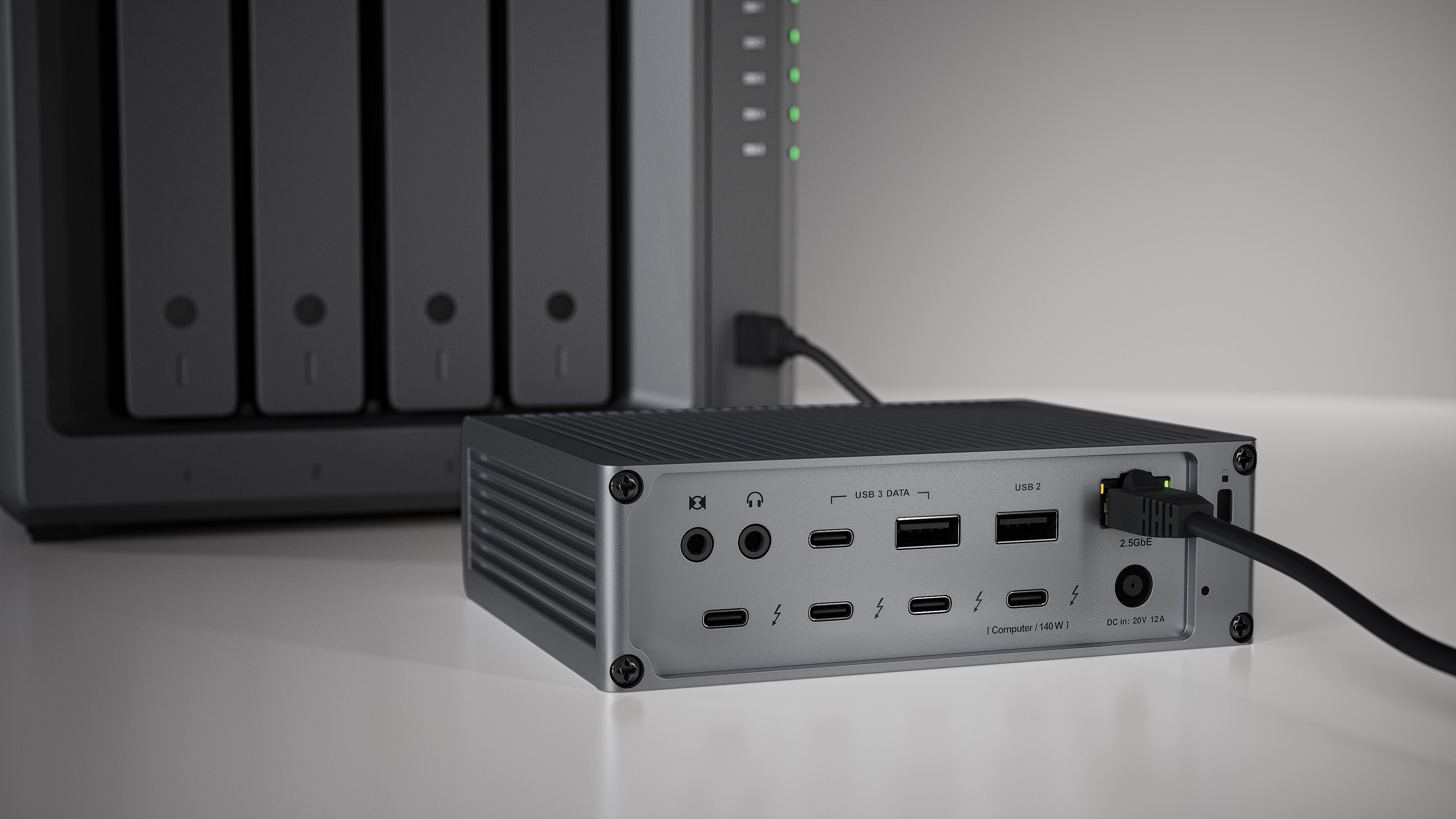
2.5 Gigabit Ethernet
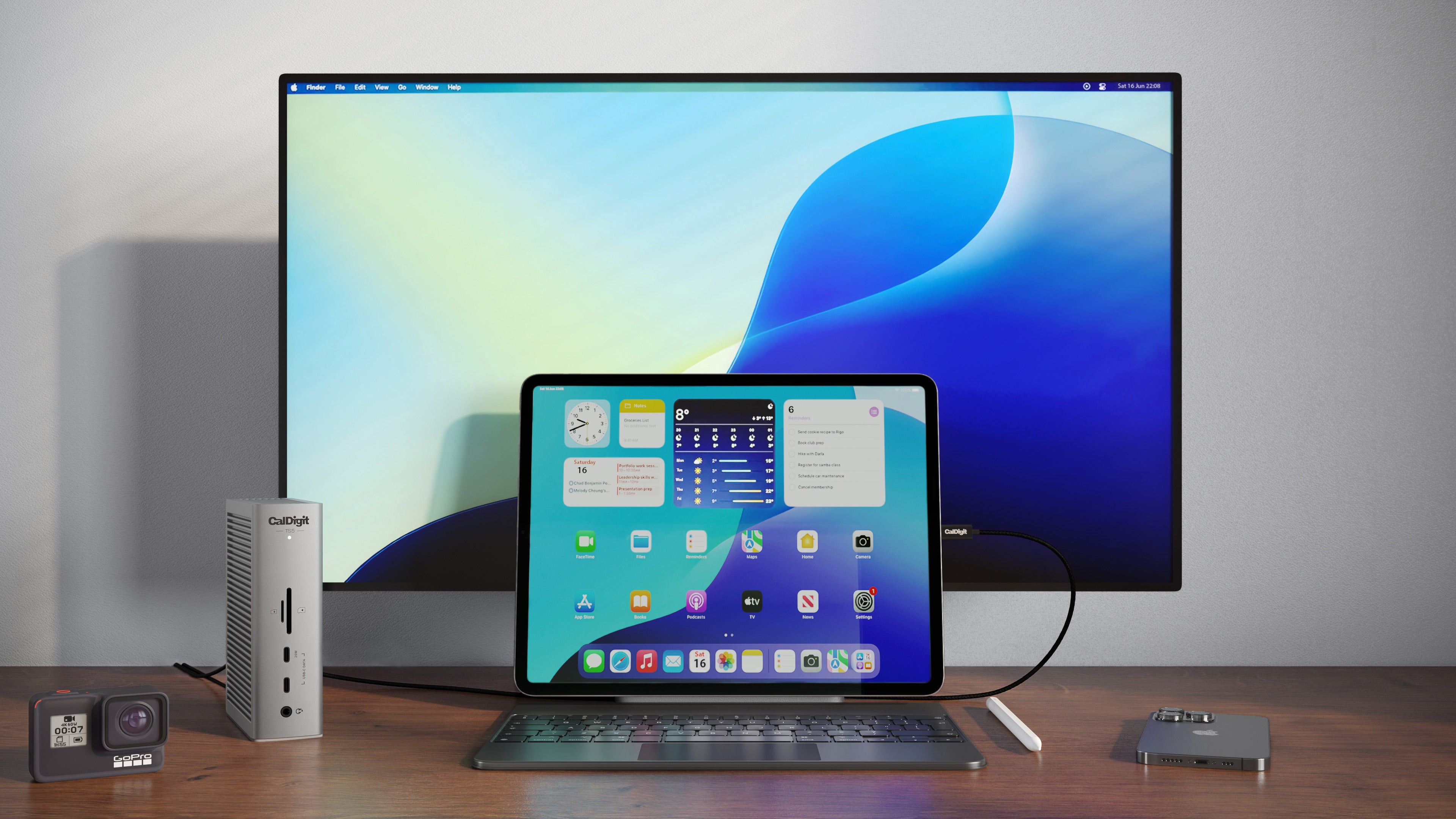
Tablets & Phones
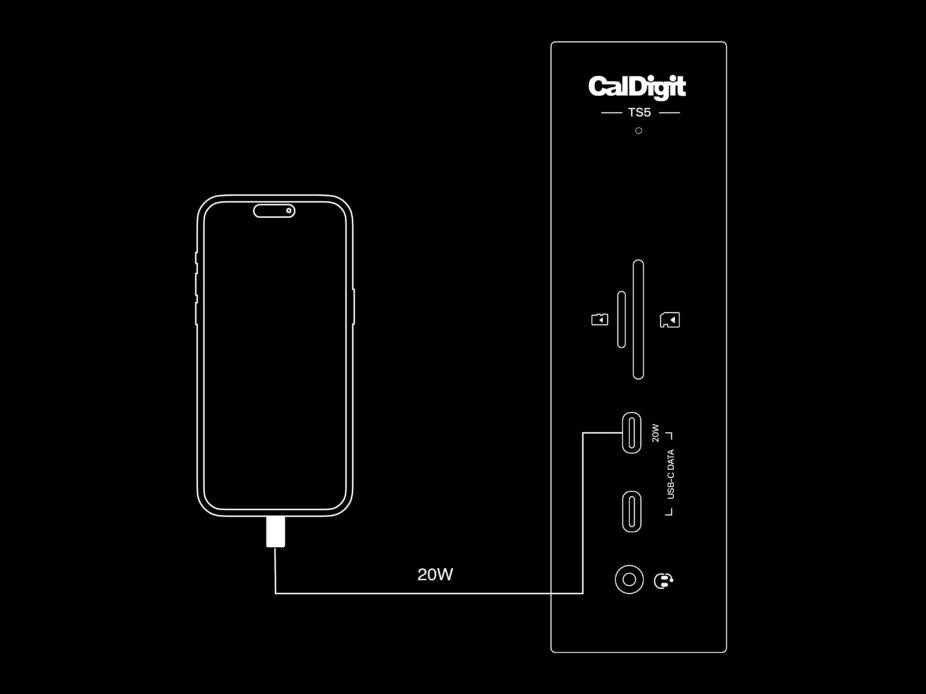
20W USB-C Port
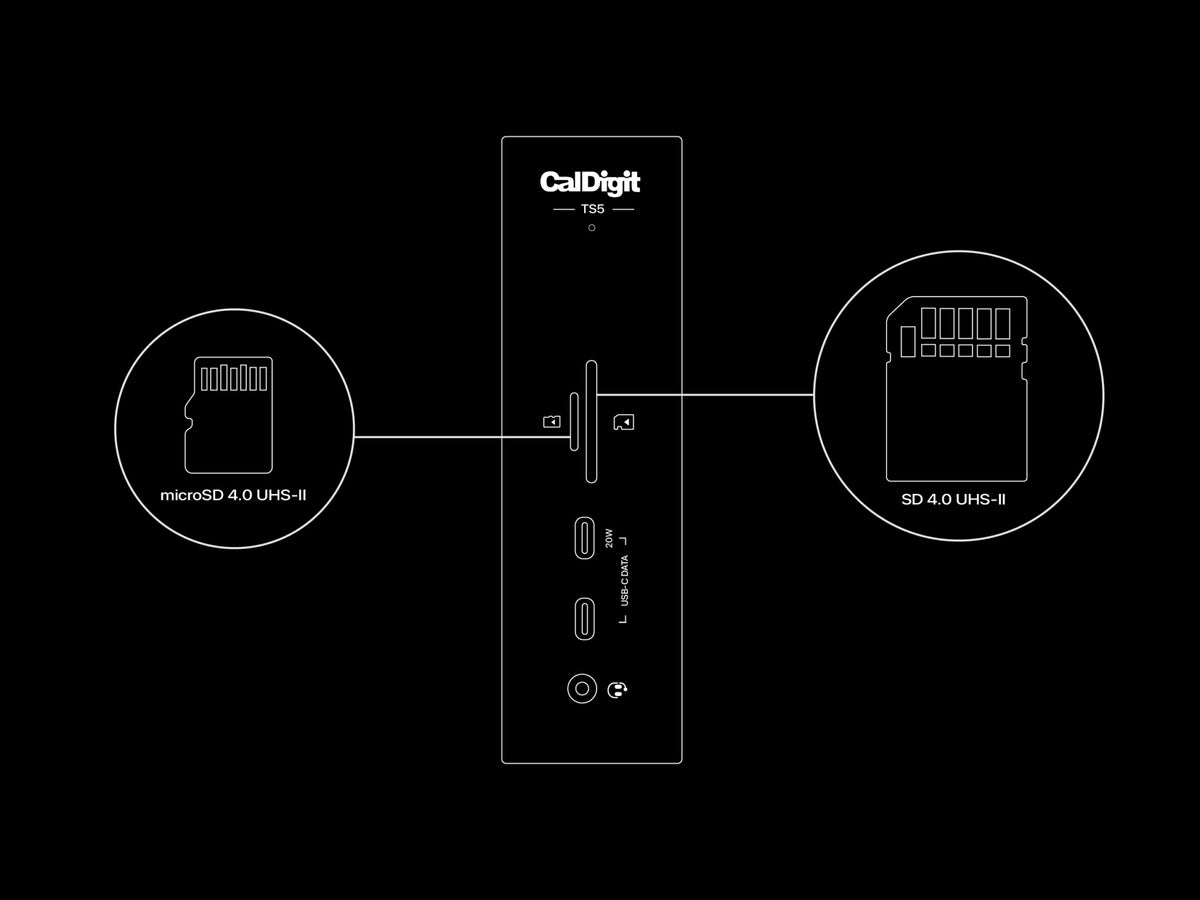
SD & microSD 4.0 UHS-II
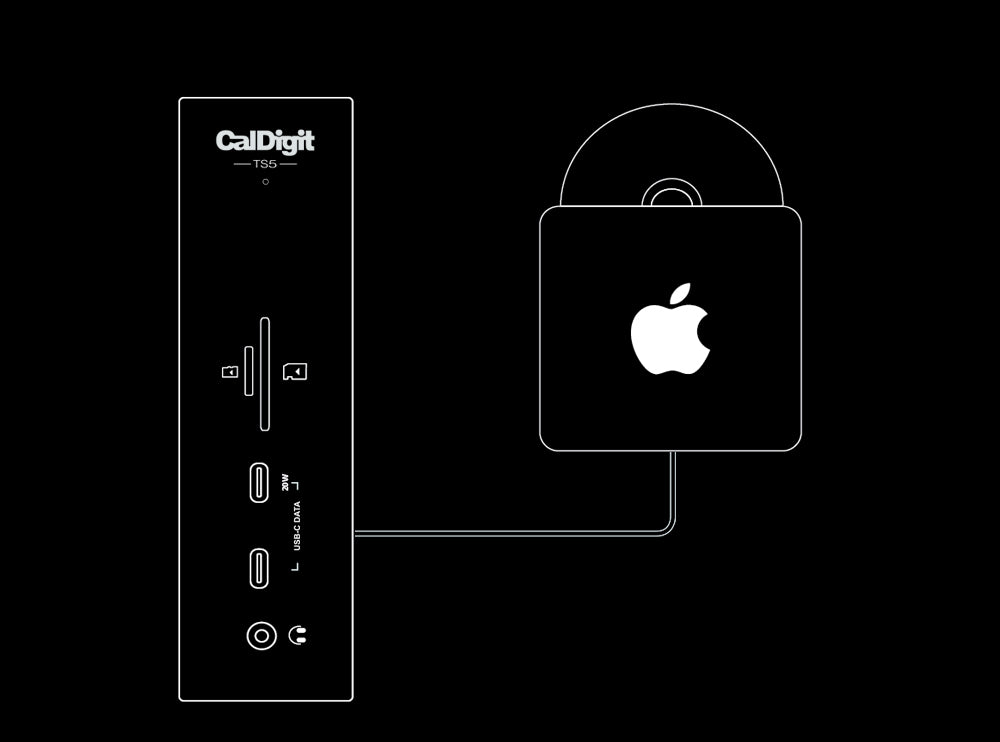
Apple SuperDrive
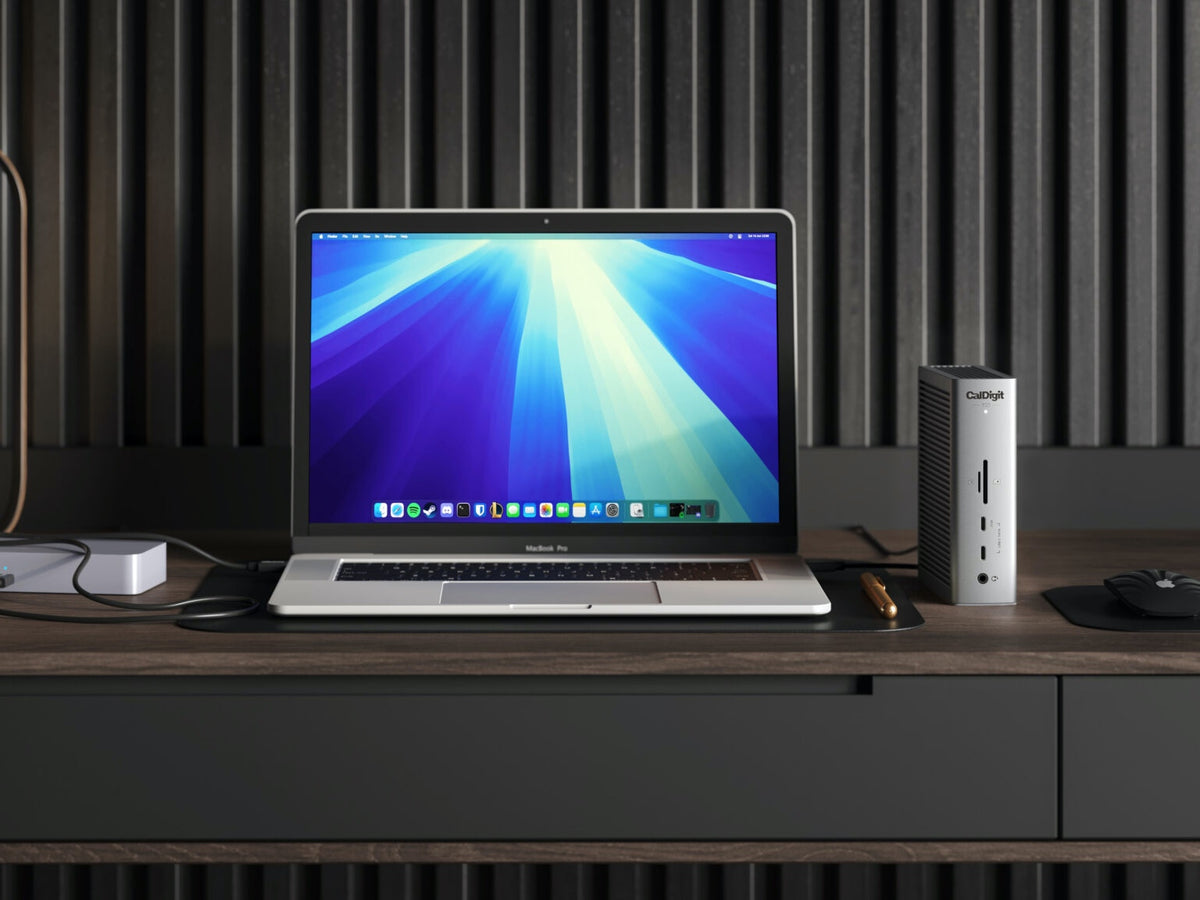
Rear Host Port
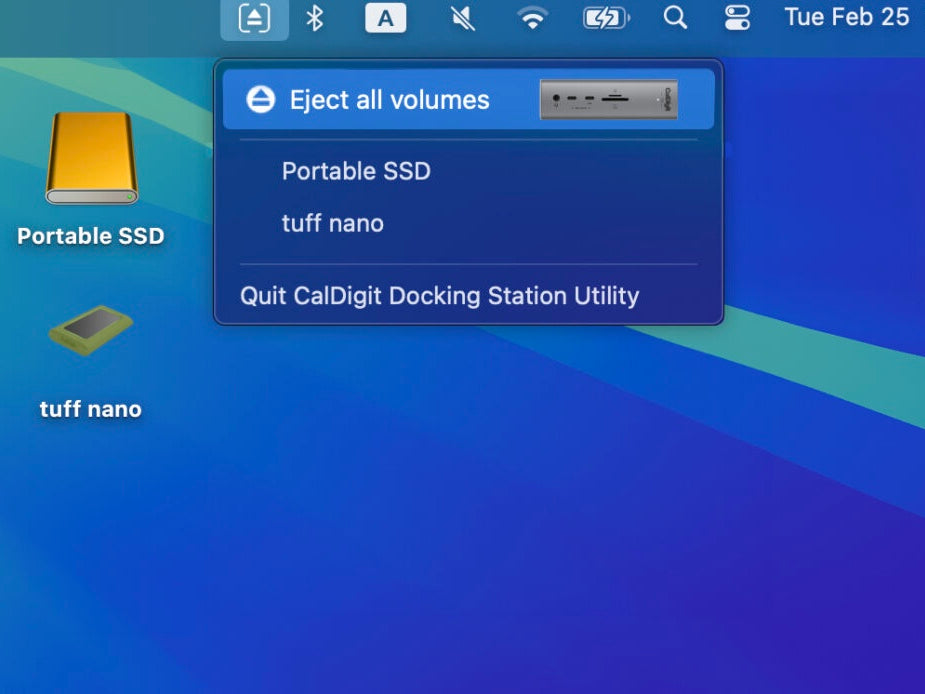
Docking Station Utility
Compare the TS5 Plus, TS5 and the TS4
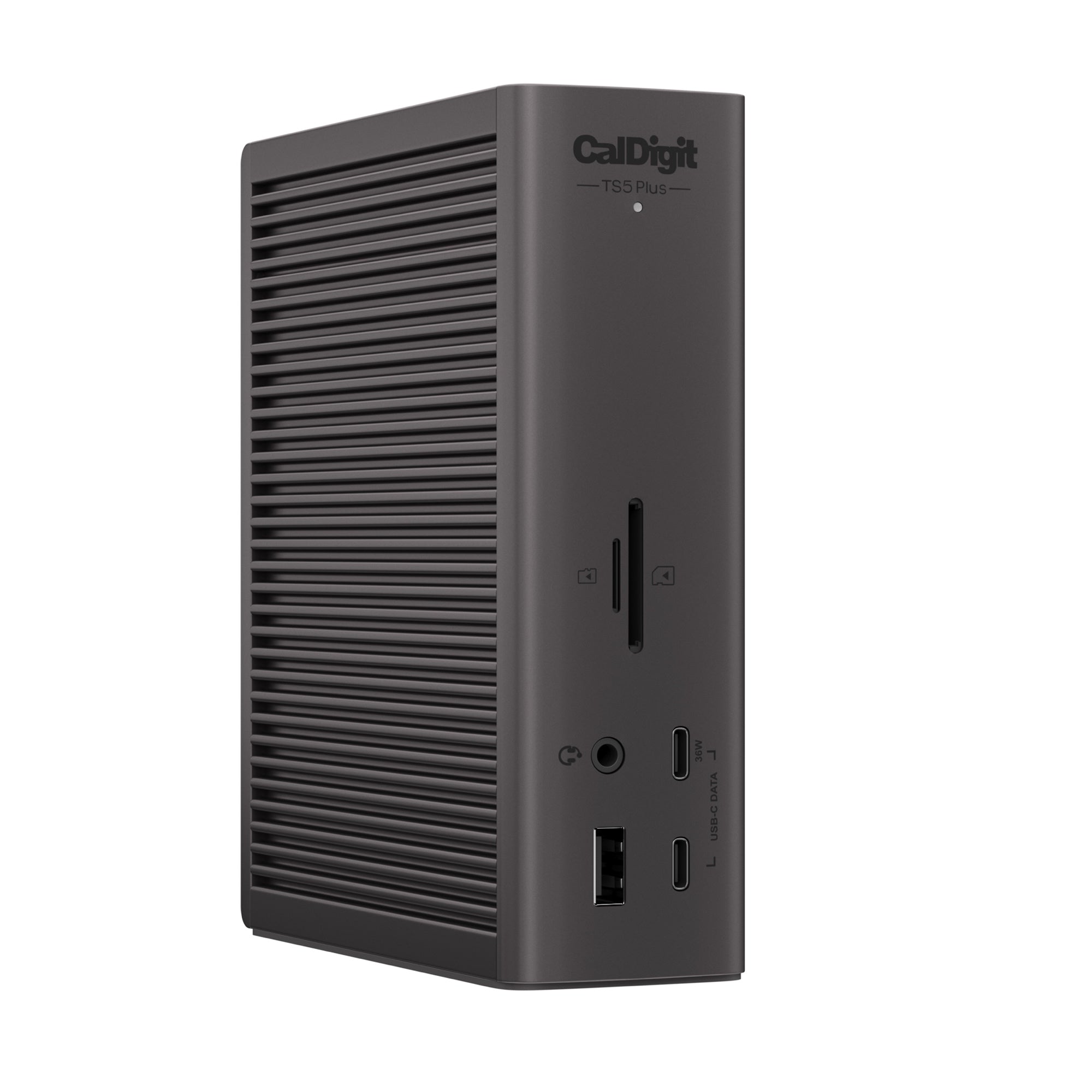
Space Grey
Space Black
Space Grey
120Gb/s
120Gb/s
40Gb/s
15
20
19
140w
140W
98W
64Gb/s
64Gb/s
32Gb/s
Yes
Yes
No
Yes
Yes
No
Yes
Yes
Yes
4x 80Gb/s
3x 80Gb/s
3x 40Gb/s
15w
36W
15W
1x
No
No
2x
5x
5x
3x
5x
3x
No
Yes
No
1x20w
1x 36W
1x 20W
Yes
Yes
No
No
1x v2.1
1x v1.4
2.5GbE
10GbE
2.5GbE
240w
330W
230W