

TS4 Thunderbolt Station 4
Returns Policy
Delivery or error by Try & Byte: If you receive an incorrect product it may be returned within 5 days in its original, unopened packaging. We will re-imburse you for return shipping (shipping method subject to approval by us) and provide an exchange or offer a refund after the product has been returned to us.
Faulty or Dead on Arrival Products: We will replace a product if it is found to be either damaged or not working correctly when it is received ("dead on arrival"). The product must be returned within 7 days of purchase and must be packed in the original, unmarked packaging including any accessories, manuals, documentation and registration that shipped with the product. We will re-imburse you for return shipping (shipping method subject to approval by us). If we no longer have any more of the product in stock then a full refund will be provided.
If a product becomes faulty under normal use at some time after it is received then the product warranty applies (refer below).
Change of Mind: We accept returns for change of mind purchases only in the following circumstances:
- Products are not a clearance or sale item;
- Products are returned to us within 10 days of purchase;
- The product is in its unused, original and unopened packaging. Please ensure the item is securely protected and wrapped when returned to us;
- Note: do not affix anything to the product packaging. Doing so will reduce the refund amount.
- Note: accessories that came with the product must be returned as well. Missing items will result in a reduced refund amount.
- You will be responsible for all shipping costs in returning the product to us;
- We accept no responsibility for any products lost in transit whilst being returned. We suggest you return the product using Australia Post with tracking or a trackable courier service;
Please note that we do not permit the return of, or offer refunds for the following products:
- Products which have been used, opened or unsellable products;
- Opened software and games;
- Product that is custom configured to your specifications;
- One off customer orders made on a 'no returns' basis.
No product may be returned to us without first contacting us and obtaining an RA (Return Authorisation). If you need to return an item, you can contact us using the contact link on our website.
Refunds
- We will only process refunds upon receipt and inspection of the items sent back to us.
- Accessories that came with the product must be returned unless stated otherwise. Missing accessories may result in a reduction in the refund.
- Postage costs are non-refundable.
Warranty
Our goods come with guarantees that cannot be excluded under the Australian Consumer Law. You are entitled to a replacement or refund for a major failure and for compensation for any other reasonably foreseeable loss or damage. You are also entitled to have the goods repaired or replaced if the goods fail to be of acceptable quality and the failure does not amount to a major failure. In addition to the rights and remedies you may have under the Australian Consumer Law you may also be entitled to benefits under the terms of any additional manufacturer's warranty. The manufacturer's warranty (if it applies to your product) does not in any way affect your rights under the Australian Consumer Law.
If a product comes with manufacturer warranty the warranty commences from the date the product was invoiced. You must retain the purchase invoice for potential future warranty claims. Try & Byte acts as an agent in the warranty process. Products excluded from warranty are software, games and consumables.
As warranty procedures vary from manufacturer to manufacturer you should seek technical support from the manufacturer first. If the manufacturer directs you to return the product back to us then you should contact us at support@tryandbyte.com.au.
Need help? Contact us
TS4 Thunderbolt Station 4
Thunderbolt Station 4
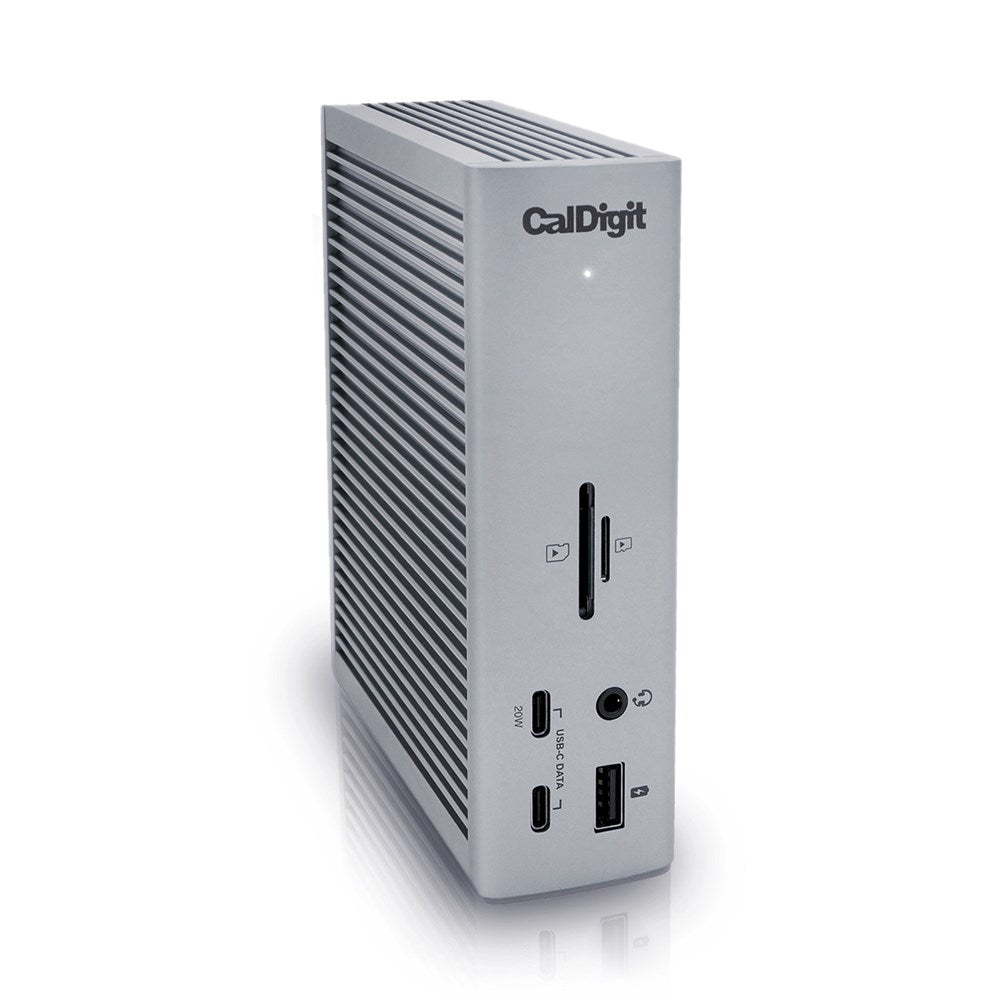
The iconic Thunderbolt Station is back, now in its 4th iteration, featuring the classic design first introduced by CalDigit.
Not only is the TS4 the most powerful dock ever created, the dock with the most ports, the dock with the highest charging capabilities, the first dock with 2.5GbE, it is the dock that will drive us into the Thunderbolt 4 generation.
More is More
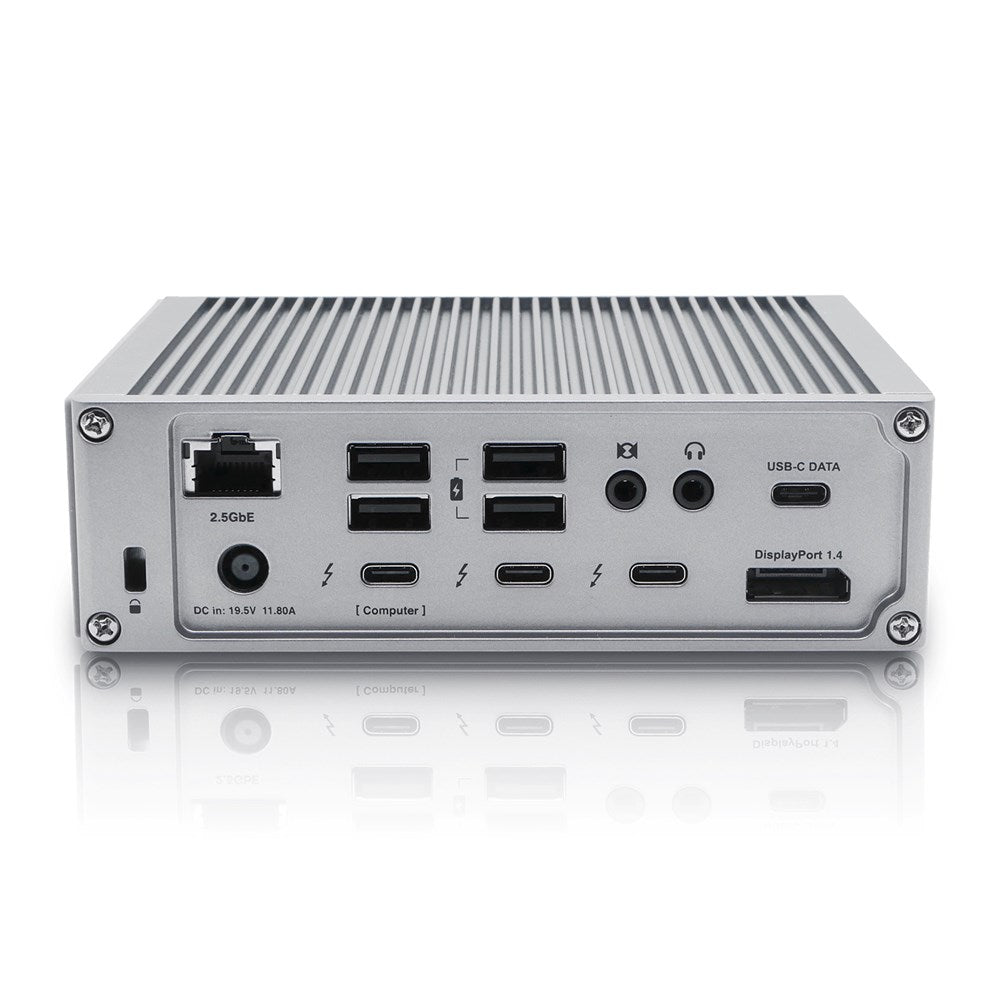
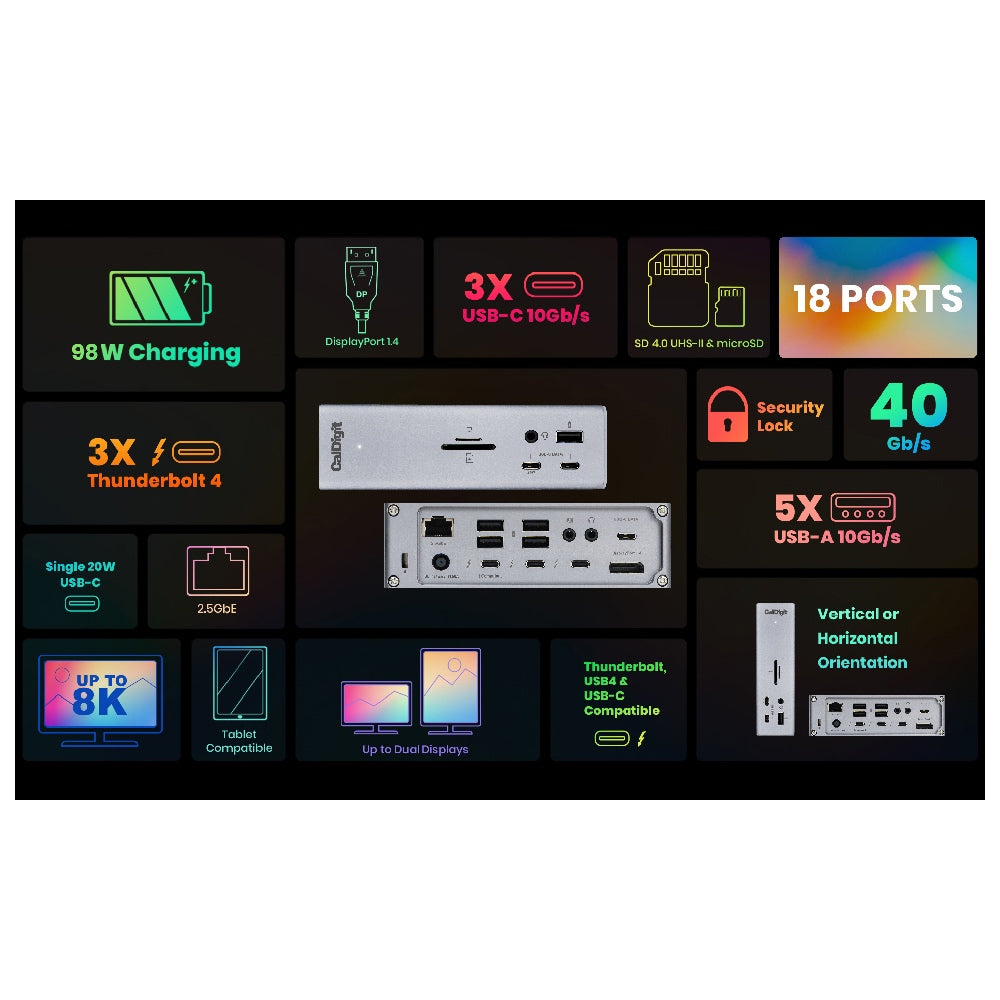
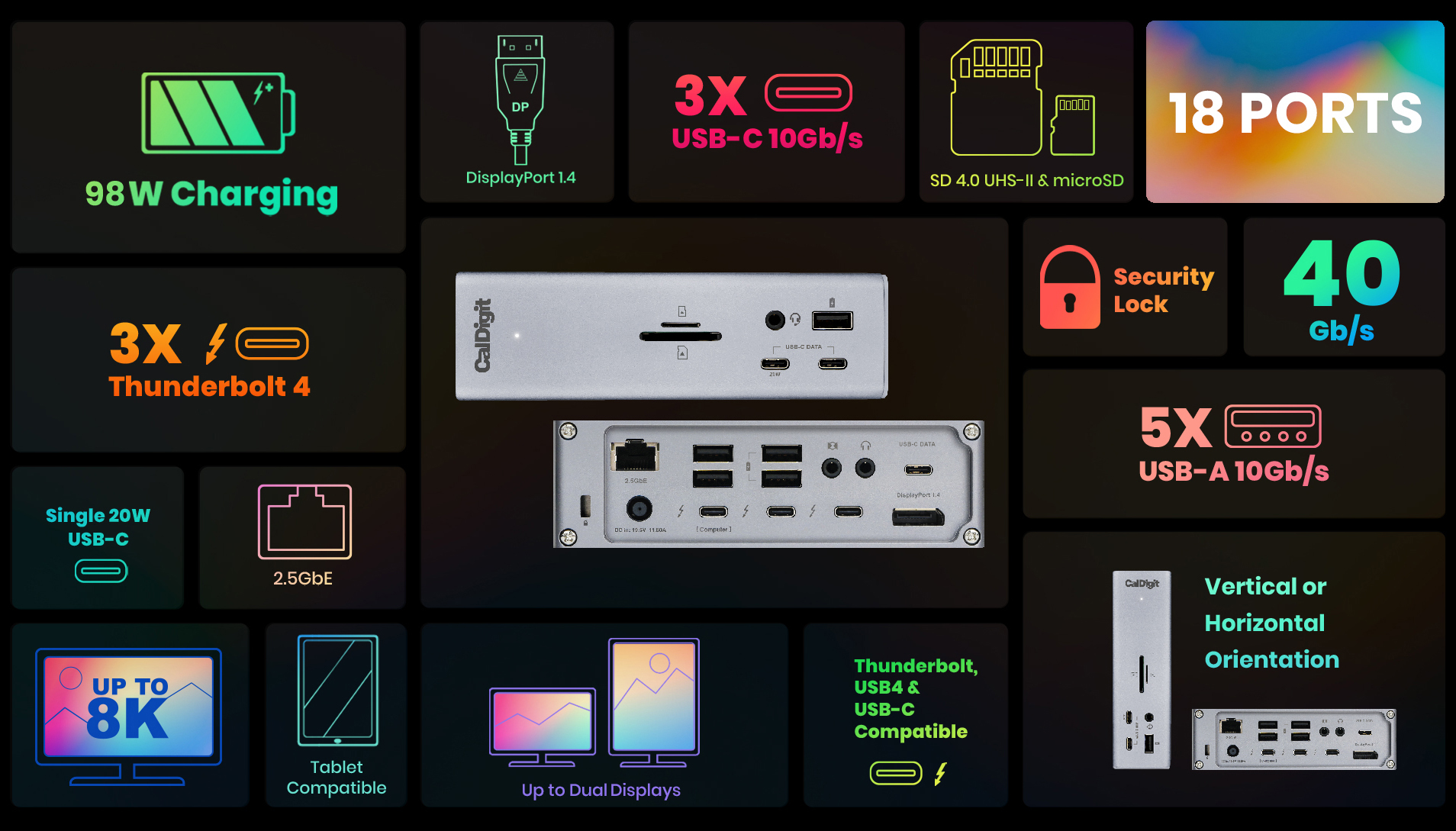
The TS4 offers a staggering 18 ports of connectivity, the most featured on any Thunderbolt dock ever.
The purpose of a device like this is to never run out of ports, and for the majority of us, that should certainly not be the case with the TS4.
Universally Compatible
Having the ability to use the TS4 on any Type-C computer or tablet is incredibly convenient.
Compatible with Thunderbolt 4, Thunderbolt 3, USB4, and USB-C computers, the TS4 adapts to the host computer it connects to, providing the features available to your computer or tablet.
- Thunderbolt 4 PC
- Intel Thunderbolt 3 Mac¹
- M1/M2/M3/M4 Pro, Max and Ultra Thunderbolt 4 Mac¹
- Thunderbolt 3 PC
- USB4 PC
- USB-C PC
- USB-C Windows Tablet
- Thunderbolt or USB-C iPad²
- Thunderbolt or USB-C Chromebook
¹ Requires macOS 11.4 (Big Sur) or above ² Functionality is dependent on host computer or tablet’s capabilities.
Fastest Laptop Charging
When it comes to laptop charging the TS4 provides up to 98W of power delivery.
That is the highest charging provided by any Thunderbolt 4 dock, and is ideal for larger screen laptops that require more power.
For laptops or tablets that require less than 98W, the TS4 will only supply the wattage required by your device.
Thunderbolt 4 / USB4 Ports
The TS4 features three Thunderbolt 4/USB4 ports with 40Gb/s performance.
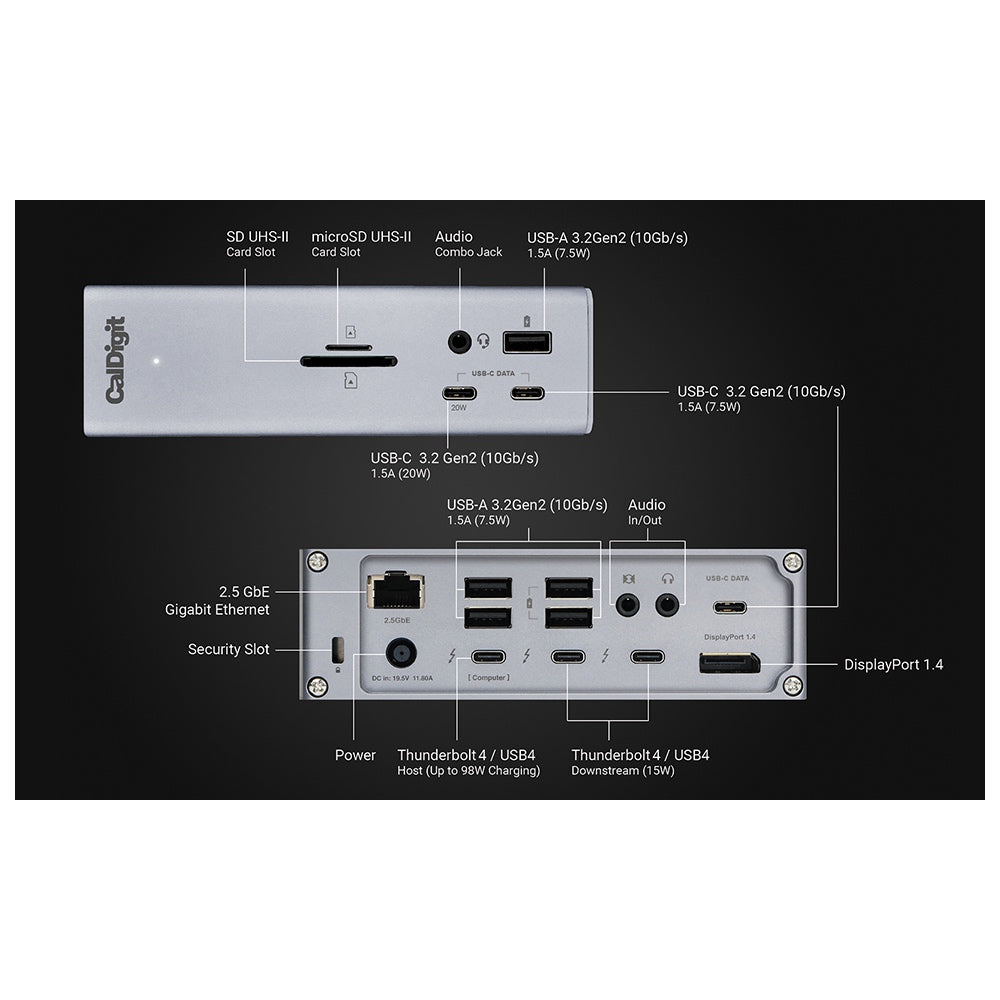
One of the ports is used as the host connection to the laptop, and the two remaining ports can be used to connect Thunderbolt 4, Thunderbolt 3, USB4, or USB-C devices to the TS4. This includes monitors, SSDs, hubs, and much more.
8 USB Ports
With 8 USB ports on the TS4, a mixture of USB-A and USB-C, you have plenty of port connectivity to connect your USB accessories*.
All of the USB ports on the TS4 offer 10Gb/s performance.
*USB-C & USB-A ports are for data only. Users who wish to connect monitors must connect them to the spare Thunderbolt 4/USB4 ports.
20W USB-C Port
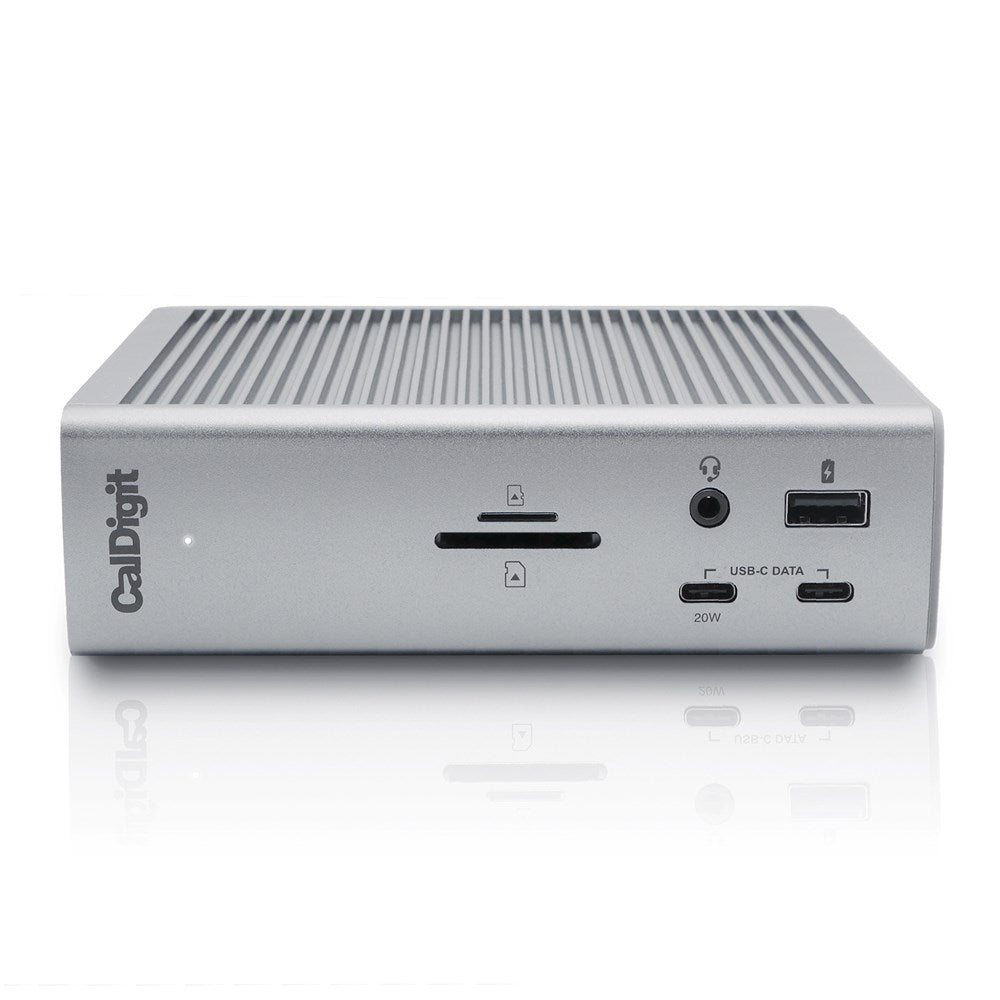
One of the front-facing USB-C ports can supply up to 20W of power for your attached USB-C device.
This is ideal for accessories that require more power, such as Apple’s MagSafe wireless charger.
Single 8K or Dual 60Hz Displays
When it comes to connecting a monitor the TS4 offers outstanding visual clarity.
Single Monitor
If you’re looking to add a single monitor to the TS4 you can either connect it to the DisplayPort connector or to one of the spare Thunderbolt 4 ports. If you wish to connect a HDMI monitor you can either connect an Active DisplayPort to HDMI Adapter, or use a USB-C to HDMI Adapter.
Dual Monitors
Dual displays can be connected to the following via the dock:
- Intel based Macs
- M1-M4 Pro and Max chip Macs
- MacBook Air M4
Regular M1-M3 chip Macs can only run a single external display.
Windows PC Thunderbolt 3 and Thunderbolt 4 users can connect up to dual displays.
*Some refresh rates require DP.14 HBR3 and DSC 1.2 support from host, GPU and monitor. Some Thunderbolt 3 hosts that only support DP 1.2 will be capped at a lower resolution & refresh rate. The bit/color depth may vary in order to support higher refresh rates.
The support of higher refresh rates may vary due to OS updates.
Some Windows PC manufacturers have decided to restrict functionality on their Thunderbolt 3 and USB-C ports such as charging and monitor compatibility. Check to see if your PC supports external monitors.
2.5 Gigabit Ethernet
The TS4 is a dock that provides a lot of unique features, and that is certainly the case with the inclusion of 2.5GbE.
2.5GbE is 2.5x faster than traditional Gigabit Ethernet, and is becoming the new standard for routers, switches, and NAS devices.*
Of course you can use the 2.5GbE port on the TS4 with traditional 1GbE Ethernet devices.
*2.5GbE performance requires a Thunderbolt host & 2.5GbE compatible devices or above.
Tablets
Connect the TS4 to your Thunderbolt/USB-C iPad, or Windows tablet, and take your workflow to the next level.
*Full tablet functionality will be dependent on your tablet’s capabilities.
SD 4.0 & microSD
The front facing SD and microSD connectors offer a convenient way to access your SD cards. Both card slots offer UHS-II performance for the best possible speeds.
Offline Charging
The front USB-A port, all of the USB-C ports, and two of the rear USB-A ports on the TS4 provide offline charging.
This function allows those specific ports the ability to charge your USB devices, such as phones and tablets, even when the TS4 is not connected to a host device.
3X Audio Ports
Some people prefer to connect their headphones to the front of a dock for easy convenience, whilst others prefer to have them plugged into the back of a dock to keep their workflow cleaner.
The TS4’s two audio output ports, one on the front and one on the back, cater for either scenario*.
The back of the device also offers an audio input port for connecting a microphone.
*Only the front audio combo port, or the rear audio in and out ports can be used at once. Audio will default to the front port if both front and rear ports are used.
Security Lock
When you have the world’s most powerful dock you need to make sure no one takes it from your desk! The TS4’s Lock allows you to secure the dock for added protection.
Apple SuperDrive
Devices such as the Apple SuperDrive are recommended by Apple to be directly connected to a laptop as they require extra power. CalDigit has developed a driver for the SuperDrive so that it can be directly connected to the TS4.
*Requires a one-time driver install.
Features & Compatibility
Interface
- 3 x Thunderbolt 4 (40Gb/s)
- 3 x USB-C (10Gb/s)
- 5 x USB-A (10Gb/s)
- 1 x DisplayPort 1.4
- 1 x SD 4.0 (UHS-II)
- 1 x microSD 4.0 (UHS-II)
- 1 x 2.5 Gigabit Ethernet
- 1 x Front Combo Audio In/Out (3.5mm)
- 1 x Rear Audio Out (3.5mm)
- 1 x Rear Audio In (3.5mm)
- 1 x DC In (19.5V 11.80A)
- macOS 11.4 (Big Sur) or above
- Windows 10 (20H2) or above
- Thunderbolt 4 Computer
- Thunderbolt 3 Computer
- USB-C (USB4) Computer
- USB-C Computer
- Chromebook (Thunderbolt or USB-C)
- iPad Pro/iPad Air/iPad mini (Thunderbolt or USB-C)
- Windows Tablet (Thunderbolt or USB-C)
Specs
Power Delivery
- Thunderbolt 4/USB4 Host Port: Up to 98W
- Each Downstream Thunderbolt 4/USB4 Port: 15W
- Front 20W USB-C Port: 20W
- Remaining USB-C Ports: 7.5W
- USB-A Ports: 7.5W
- Height: 5.55” (141.0mm)
- Width: 1.65” (42.0mm)
- Length: 4.46” (113.0mm)
- Weight: 1.41 lbs (0.64kg)